Global Network Archive.
A downloadable tool for Windows
Global Network Archive v1.17
The Internet as one giant shared file explorer.
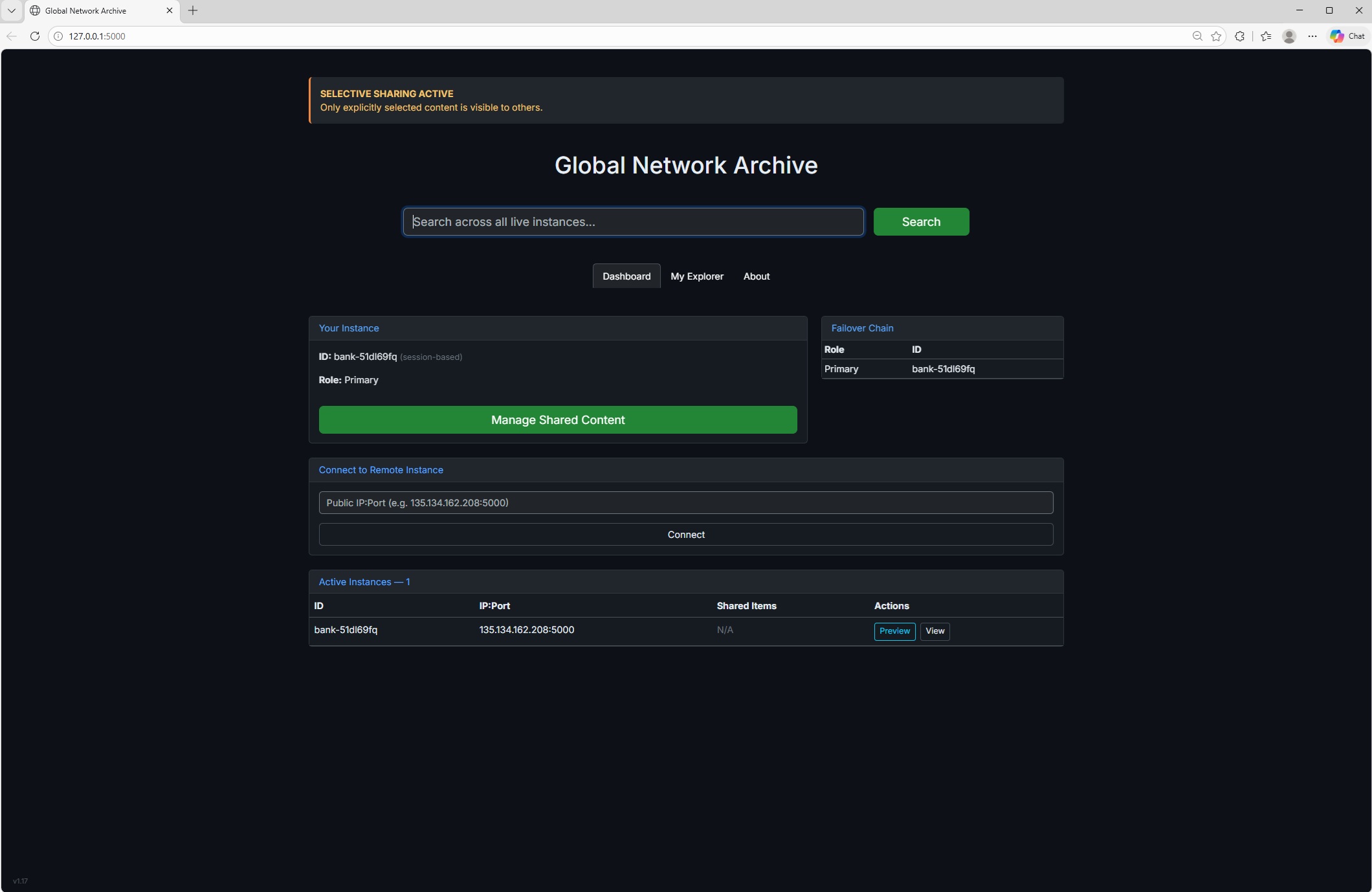
Global Network Archive turns every computer into a live, always-available public data bank. No companies, no central servers, no accounts, no tracking.
What Global Network Archive Does
- By default shares NOTHING (your PC is private)
- You choose exactly which files/folders to make public with checkboxes
- Folders can be checked recursively (all sub-files included)
- Selections are saved permanently
- Remote users see only what you chose to share
- Download button on every public file
- Automatic failover with Primary + 10 backups
- Zero data collection, zero telemetry, zero logs
Global Access — How to Make Your Archive Reachable
- Find your router’s admin page (usually type 192.168.1.1 or 192.168.0.1 in your browser)
- Log in (common defaults: admin / admin or check the sticker on your router)
- Go to Port Forwarding / NAT / Virtual Servers / Advanced → Port Forwarding
- Create a new rule:
• External Port: 5000
• Internal Port: 5000
• Protocol: TCP
• Internal IP: your computer’s Local IP (shown in the console) - Save / Apply and restart your router if prompted
- Give your Public IP (shown in the console) to anyone you want to connect
Once port 5000 is forwarded, anyone in the world can open your full archive.
Joining an Existing Network
On the Dashboard, use “Join Existing Network” and enter any host’s Public IP:5000 to join their group instantly.
As many different LANs may exist separate from each other, we all list to the main one. As is only maintained by users being logged in.
Privacy Guarantee
Nothing is shared until you explicitly check the box and save. Your browsing is completely private.
Your browsing is completely private. No one knows what you viewed. No history is kept. The only thing shared is the files you intentionally make public in your user folder.
Choose what to share.
Download
Install instructions
Install>Run
Leave a comment
Log in with itch.io to leave a comment.